-
audio,video,form양식,input,한글깨짐-22.04.04HTML 2022. 4. 4. 12:12728x90

<!DOCTYPE html>
<html>
<head>
<meta charset="UTF-8">
<title>Insert title here</title>
</head>
<body>
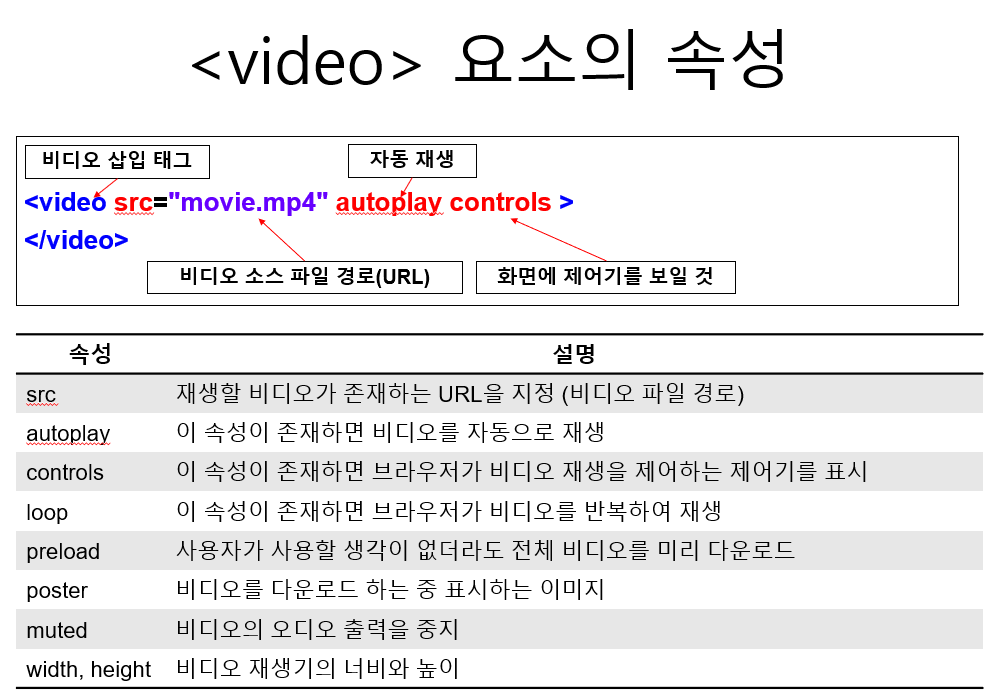
 <audio src="../multi/old_pop.mp3" controls></audio>
 <video width="640" height="480" controls autoplay muted> <!-- 음소거일때 자동재생 -->
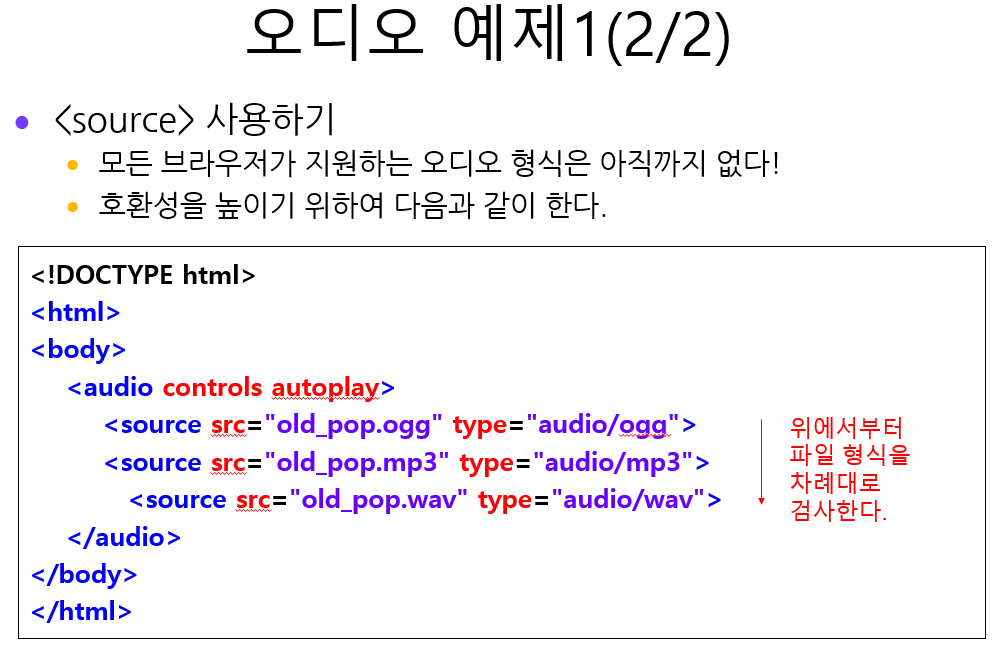
        <source src="../multi/trailer.mp4" type='video/mp4'>
        <source src="../multi/trailer.ogv" type='video/mp4'>
        <source src="../multi/trailer.webm" type='video/mp4'>

 </video>
</body>
</html>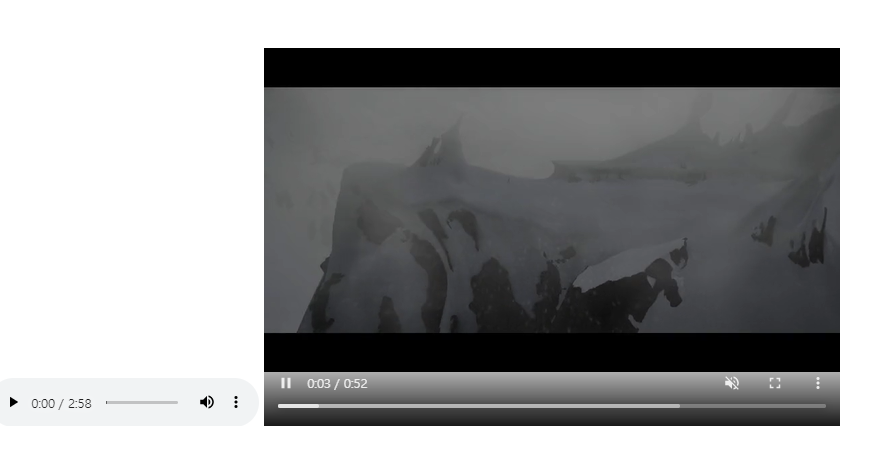

<!DOCTYPE html>
<html>
<head>
<meta charset="UTF-8">
<title>Insert title here</title>
</head>
<body>
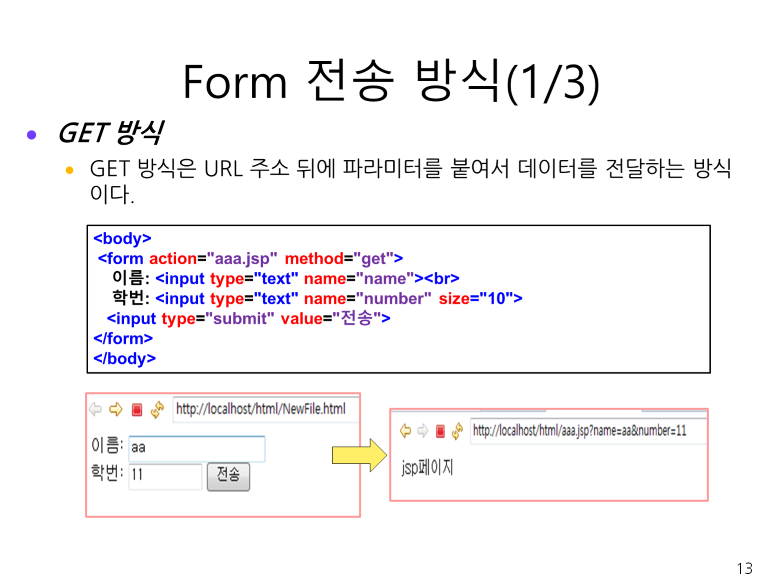
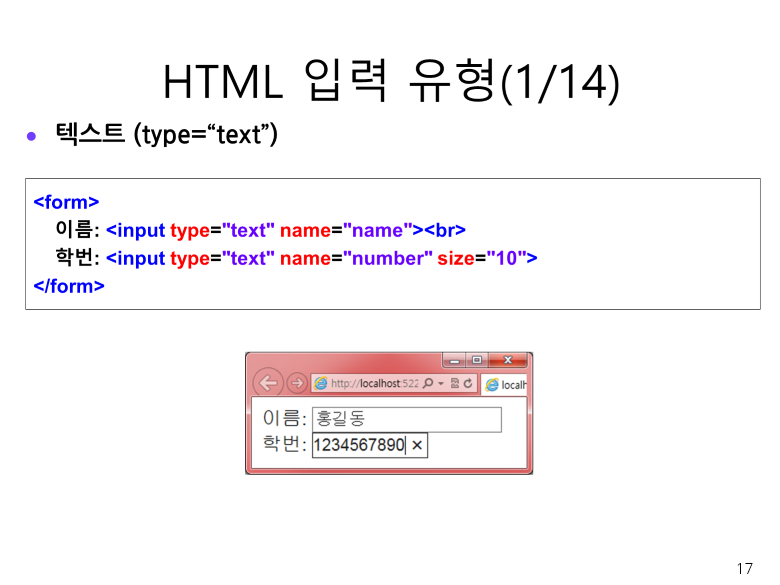
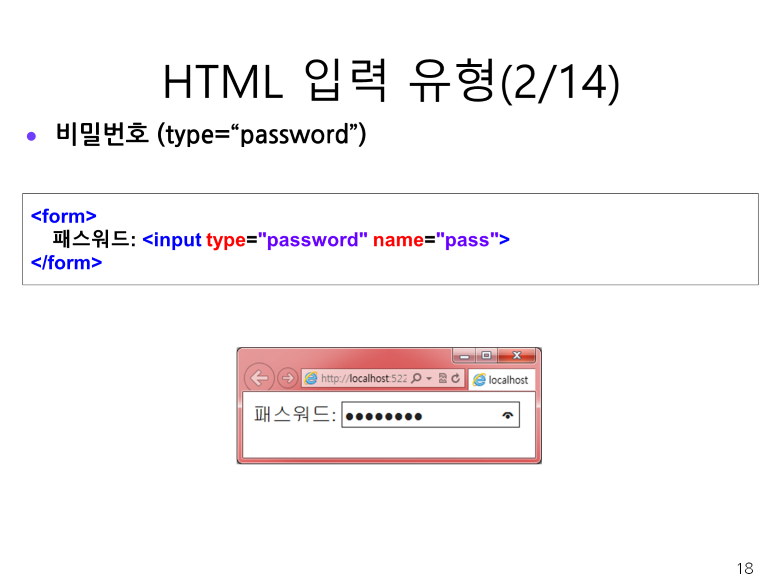
 <form>
  ID<input type="text"> <br>
  PW<input type="password">  <!-- default: type=text -->
 </form>
</body>
</html>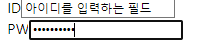
만약에 jsp파일만들었을때 빨간줄 떴을경우=>톰캣이 필요함
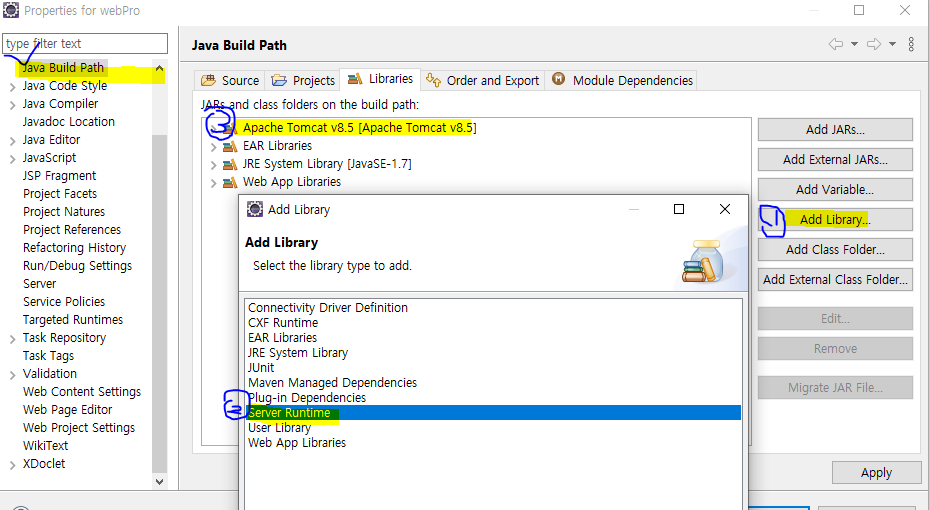
jsp파일 만들어주기 ctrl+n해서 jsp검색하면 나옴

<!DOCTYPE html>
<html>
<head>
<meta charset="UTF-8">
<title>Insert title here</title>
</head>
<body>
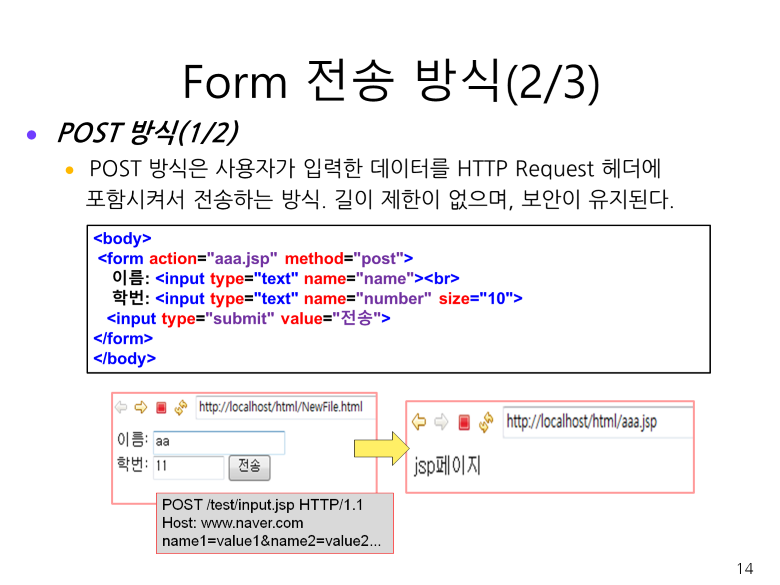
 <form action="test.jsp" method="get">
  ID: <input name="id" type="text"> <br>
  PW: <input type="password" name="pw">  <!-- default: type=text -->
  <input type="submit">
 </form>
</body>
</html>
<%@ page language="java" contentType="text/html; charset=UTF-8" pageEncoding="UTF-8"%> <!DOCTYPE html> <html> <head> <meta charset="UTF-8"> <title>Insert title here</title> </head> <body> <% String v_id=request.getParameter("id"); String v_pw=request.getParameter("pw"); %> 아이디는 <%=v_id %> <br> <!-- 변수입력 할때 문법 %=변수명 --> 비밀번호는 <%=v_pw %> </body> </html>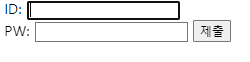

만약에 한글이 깨질 경우 저 부분을 추가해주면 된다.
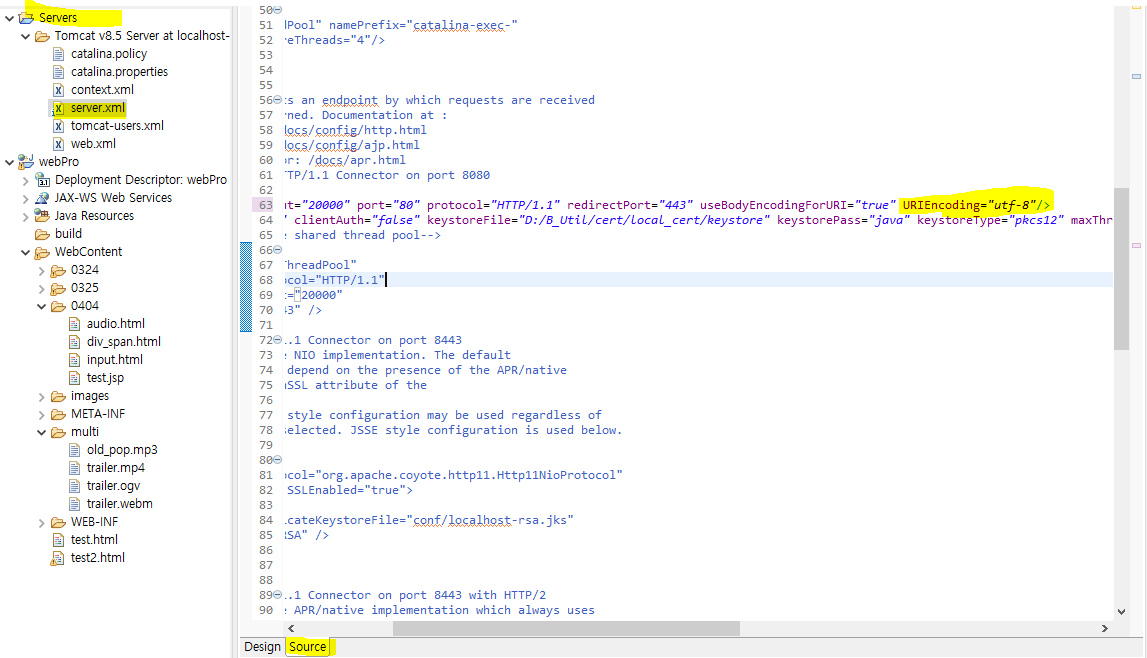
그리고 web.xml들어가서 또 처리를 해줘야 한다.


=>노란부분 주석 풀어주고 또 에러나는 부분은 주석처리
=>ctrl+F눌러서 setChara~찾고 주석 풀어주기

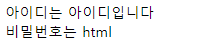
--해결완료--
<!DOCTYPE html>
<html>
<head>
<meta charset="UTF-8">
<title>Insert title here</title>
</head>
<body>

<pre> <!-- 내가 입력하는 내용 그대로 표시됨 -->
  <h4>GET방식으로 서버 페이지에 요청 데이터를 보냄</h4>
  url주소 뒤에 queryString으로 입력 값이 표시된다.
</pre>


 <form action="test.jsp" method="get">
 <!-- default: type=text이므로 생략 가능함 -->
 <!-- ID: <input요소의 default는 type="text" name="id"> -->
  ID: <input name="id" type="text"> <br>
  PW: <input type="password" name="pw">
  <input type="submit">
  <input type="reset">
 </form>
</body>
</html>
<!DOCTYPE html>
<html>
<head>
<meta charset="UTF-8">
<title>Insert title here</title>
</head>
<body>

<pre> <!-- 내가 입력하는 내용 그대로 표시됨 -->
  <h4>GET방식으로 서버 페이지에 요청 데이터를 보냄</h4>
  url주소 뒤에 queryString으로 입력 값이 표시된다.
</pre>


 <form action="test.jsp" method="get">
 <!-- default: type=text이므로 생략 가능함 -->
 <!-- ID: <input요소의 default는 type="text" name="id"> -->
  ID: <input name="id" type="text"> <br>
  PW: <input type="password" name="pw">
  <input type="submit">
  <input type="reset">
 </form>

 <pre>
  <h4>POST방식으로 서버 페이지에 요청 데이터를 보냄</h4>
  request header에 입력 데이터를 담아 보낸다.
 </pre>

  <form action="test.jsp" method="post">
   ID: <input name="id" > <br>
   PW: <input type="password" name="pw">
   <input type="submit" value="전송하기">
 </form>
</body>
</html>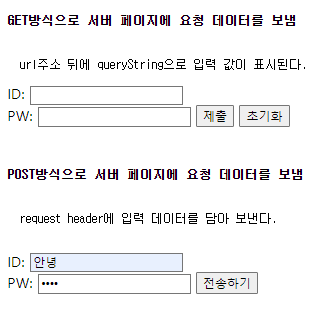
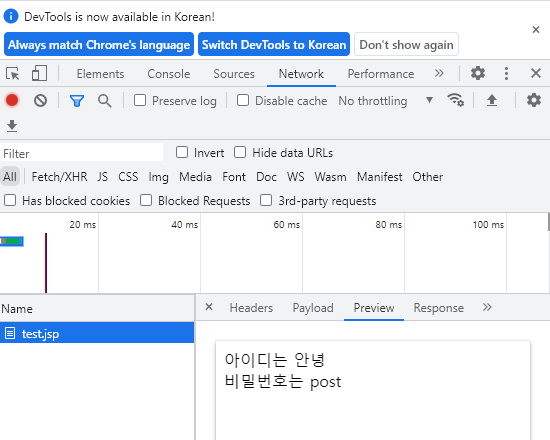
F12 누르고 Network 보면 보내지는 실제 데이터를 볼 수 있다.
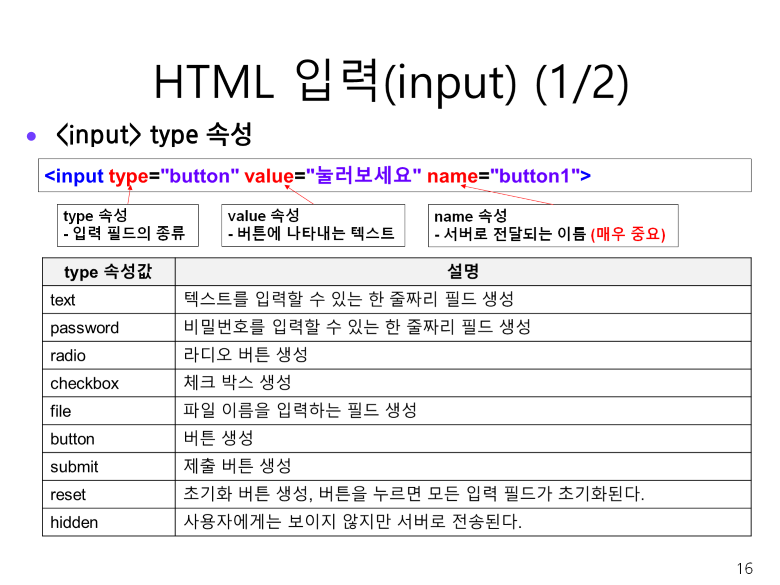
버튼 타입의 버튼이므로 일반적으로 누른다 했을때의 역할 (딱히역할이없음)
<pre>
  <h4>input type="button을 이용해 기능을 부여하여 요청 데이터 보냄"</h4>

 </pre>

  <form action="test.jsp" method="post">
   ID: <input name="id" > <br>
   PW: <input type="password" name="pw">
   <input type="button" value="button...">
 </form>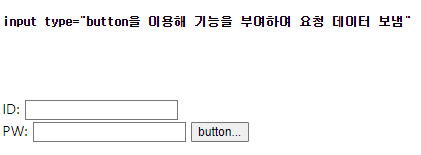
<알림창과 기능부여 하는법>
-알림창 기능
<pre>
  <h4>input type="button을 이용해 기능을 부여하여 요청 데이터 보냄"</h4>

 </pre>

  <form action="test.jsp" method="post">
   ID: <input name="id" > <br>
   PW: <input type="password" name="pw">
   <input type="button" value="button..." onclick="send()">
 </form>
head안에 sctipt넣어주기
<!DOCTYPE html>
<html>
<head>
<meta charset="UTF-8">
<title>Insert title here</title>
<script >
function send() {
    //window객체는 최상위 객체로서 생략가능
	//alert("");
	window.alert("잘 뜨는가..?");
}
</script>
</head>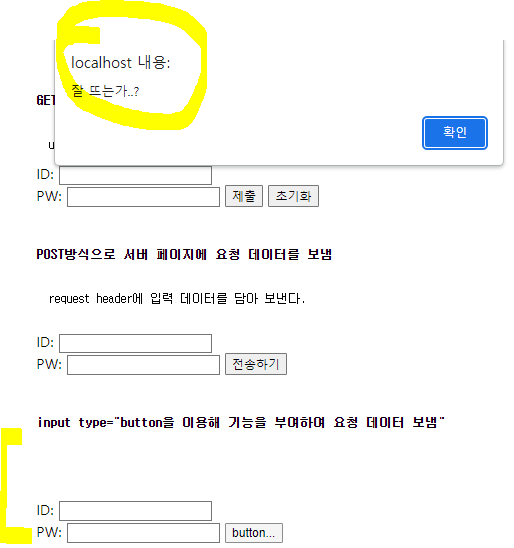
-test.jsp 페이지로 데이터를 전달하는 기능
<script > function send() { //window객체는 최상위 객체로서 생략가능 alert("id를 이용해 form을 선택하고 데이터 전달"); //window.alert("잘 뜨는가..?"); //test.jsp 페이지로 데이터를 전달하는 기능 //document.getElementsByTagName("form")[2].submit(); 폼을 선택해서 submit역할 부여 그런데 지금form이 여러개 있으므로 인덱스 넣어주기 document.getElementById("frm").submit(); } </script>더보기getElementsByTagName
getElementById
문법이 다르니까 주의하기~!
<form id="frm" action="test.jsp" method="post">test.jsp 한글 나올 수 있게 수정
<%@ page language="java" contentType="text/html; charset=UTF-8"
    pageEncoding="UTF-8"%>
<!DOCTYPE html>
<html>
<head>
<meta charset="UTF-8">
<title>Insert title here</title>
</head>
<body>
<%
    //post방식으로 데이터를 넘길때 한글처리해주기
	request.setCharacterEncoding("utf-8");
	String v_id=request.getParameter("id");
	String v_pw=request.getParameter("pw");
%>
아이디는 <%=v_id %> <br>
비밀번호는 <%=v_pw %>
</body>
</html>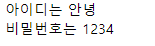
<pre> <h4>input type="image"을 이용해 요청 데이터 보냄"</h4> </pre> <form id="frm" action="test.jsp" method="post"> ID: <input name="id" > <br> PW: <input type="password" name="pw"> <input type="image"src="../images/check.png" value="imgBtn"> </form> 728x90
'HTML' 카테고리의 다른 글
css-22.04.04 (0) 2022.04.04 input2-22.04.04 (0) 2022.04.04 span, div-22.04.04 (0) 2022.04.04 HTML-22.03.25 (0) 2022.03.25 HTML2 설치하기-22.03.24 (0) 2022.03.24